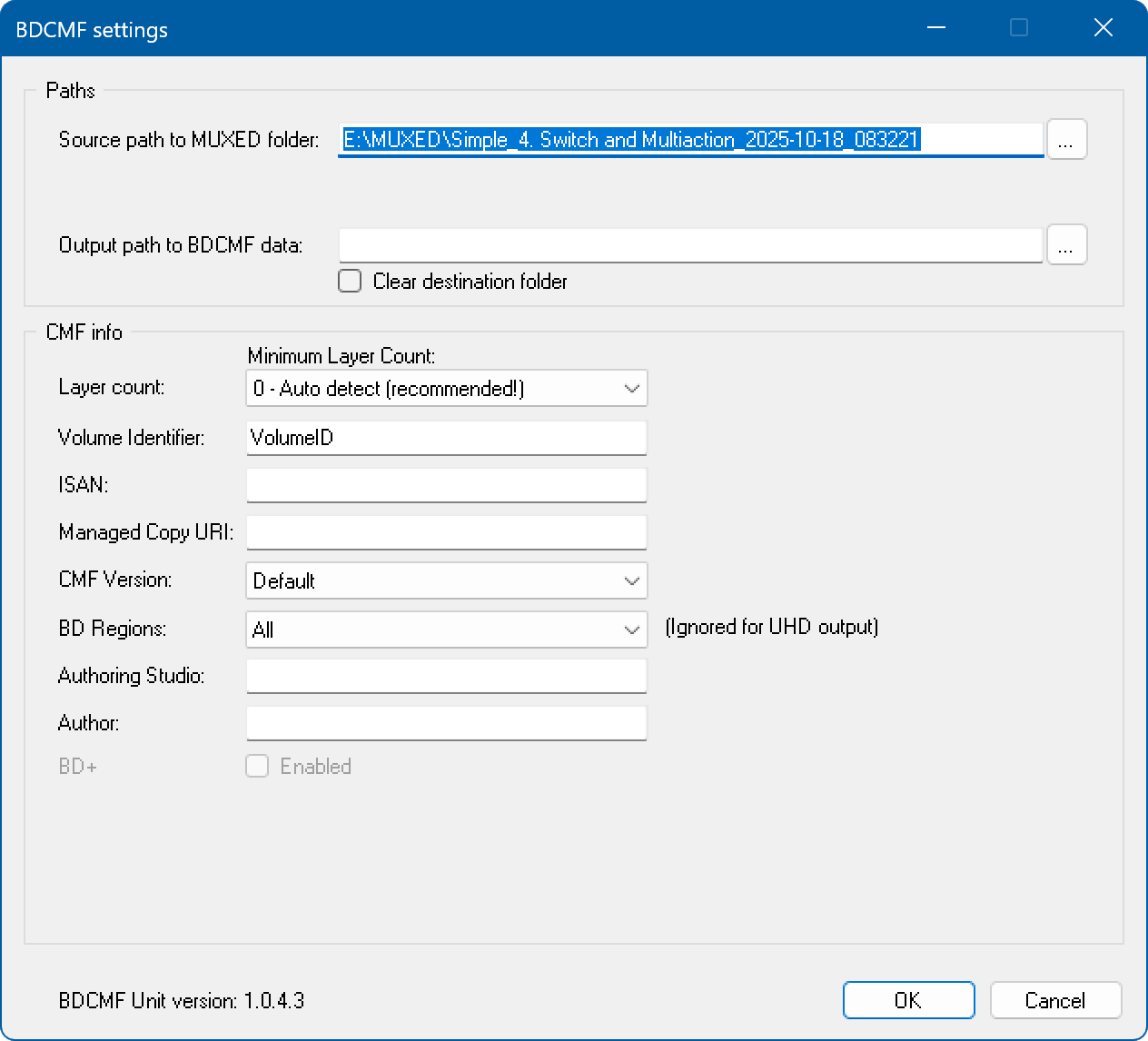
To start building a CMF image select Compile → Build CMF from the main menu. We recommend that you disable antivirus software before starting the CMF build process.
Source path to MUXED folder - the path where your compiled project is located (the compilation output folder).
Output path to BDCMF data - the path where your BDCMF data will be placed.
Layer count - the number of layers.
Volume identifier - the disc volume label. Please use only English letters and numbers for the Volume identifier.
ISAN - the International Standard Audiovisual Number associated with your project.
BDCMF version - the version of the BDCMF file image.
BD Regions:
Note: the CMF builder does not support 3D on dual-layer discs, nor does it support PIP.