 and the export/import menu will pop up:
Click the button
and the export/import menu will pop up:
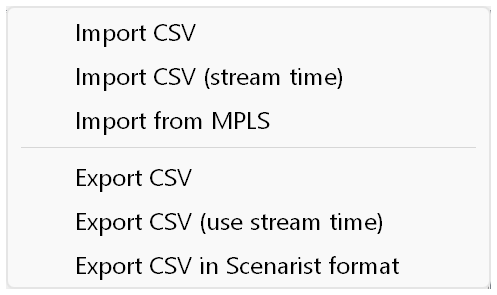
You can import scenes with the following timecodes:
You can export the list of scenes as plain CSV or in the Scenarist CSV format.
For 23.976, 29.97 and 59.94 fps the recalculated time is used (* 90000/90090). Some applications, however, use the physical time of the stream, without any recalculation (as for 24, 30 and 60 fps). To exchange chapters with such applications, use the "stream time" options.
Selecting "With start time offset" in the filter of the file open dialog lets you import chapters that have a time offset. The first time in the chapter list is treated as the start of the movie, and all times are adjusted by subtracting that first time.
