Background image and grids
You can specify a background image for the Designer, or set a predefined background color or grid, by clicking the
 button on the toolbar. This image is not
compiled into the JAR - it is only a background for the Designer window. However, if you specify a Custom Main menus
image, you will also see it as a background during simulation. Clicking the button
opens a menu of options:
button on the toolbar. This image is not
compiled into the JAR - it is only a background for the Designer window. However, if you specify a Custom Main menus
image, you will also see it as a background during simulation. Clicking the button
opens a menu of options:
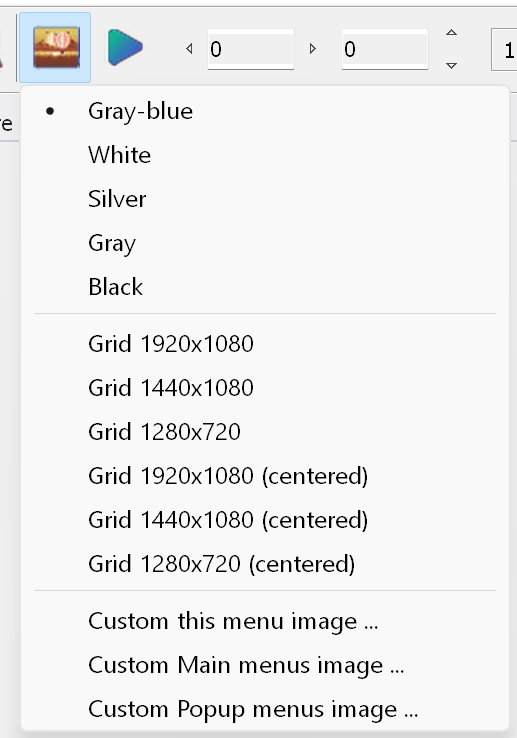
- Gray-blue, White, Silver, Gray and Black are predefined colors.
- Grid... - shows a grid as the background. There are 6 predefined grids: 3 ordinary ones and 3 aligned relative
to the center. These grids are provided for convenience only. We recommend choosing the grid that matches the
target menu resolution. In any case, graphics for resolutions lower than 1920x1080 (1440x1080, 1280x720,
720x480 and so on) have to be shifted to the upper left corner (all coordinates are measured from the top left
corner).
- Custom this menu image ... - sets a custom background image for the selected menu.
- Custom Main menus image ... - sets a custom background image for all Main menus.
- Custom Popup menus image ... - sets a custom background image for all Popup menus.