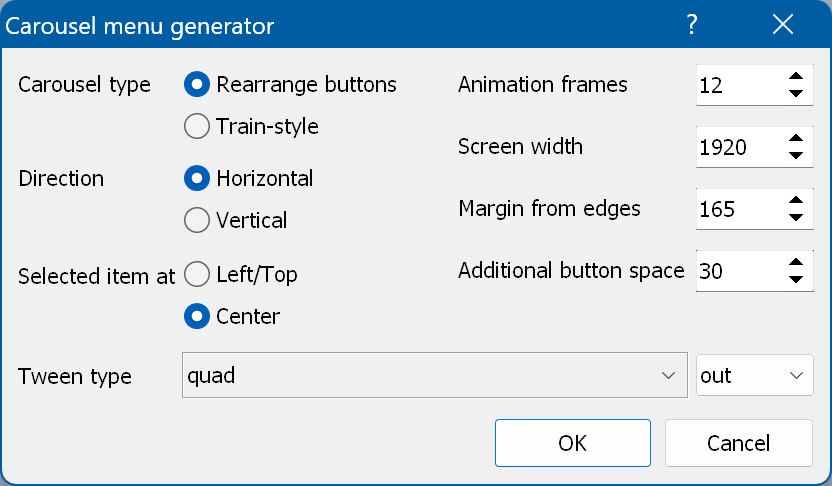
Creates a carousel menu from the selected menu. Uses all buttons in the order they are placed in the Objects window.
Carousel type - lets you specify the type of the carousel generation algorithm. "Rearrange buttons" rearranges the buttons within the specified area (screen width) at equal distances. It is designed for menus where all buttons are visible on the screen at the same time. "Train-style" simply moves the buttons from the first one to the last one, using the original position of the first button as the "selection place". It is designed for menus where some of the buttons are outside the screen.
Please note that the carousel button navigation is determined by the first button in the list. If a left/up navigation action is assigned to the first button, the navigation goes in the opposite direction.
Direction - the direction in which the carousel slides.
Selected item at - lets you choose where the selected item is: at the left/top (the first item) or in the center (the middle item). Center is only allowed if the number of buttons is odd.
Animation frames - the number of frames used for the carousel animation.
Screen width/height - the size of the carousel area. You can make it larger than the screen size if you want some of the buttons to be outside the screen.
Margin from edges - adds margins between the edges of the screen and the menu area. Use this if the menu has to scroll inside the area.
Additional button space - adds extra space to the width/height of a button. Use this if the buttons have linked objects or selected states that are wider than their normal states.
Tween type - described here.