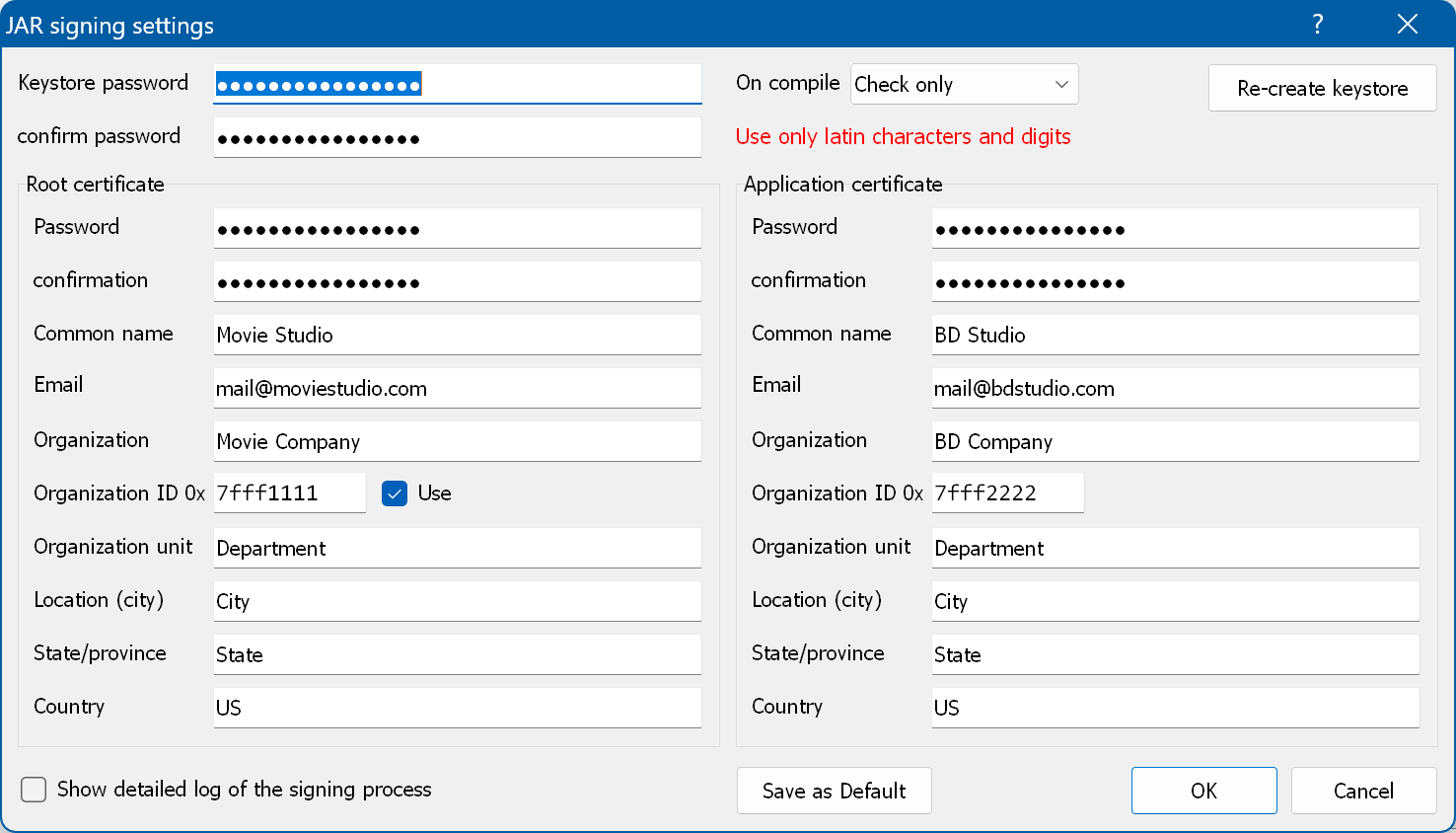
To sign a JAR file you have to fill in the data of the Root (Studio) and Application (Producer) certificates. To open this window, select Tools → JAR signing settings in the main menu.
Required fields are:
Default passwords are:
Organization ID note:
The organization number is a unique ID that represents the Studio (Root) and Producer (Application) creating the disc. The number is not managed by any central agency - it is up to you to pick a number.
The data in the local storage is managed by the combination of the Root (Studio) and Application (Producer) organization IDs, so these IDs have to be unique.
Do not use identical values for the Root and Application certificates. We strongly recommend using an organization ID between 0x7fff0000 and 0x7fffffff only.
Use the fixed 16-bit prefix (0x7fff) together with a random 16-bit suffix:
- The random suffix should be the first 16 bits of the Producer's public key in the leaf certificate. Thus, if the first 16 bits of the Producer's public key in the leaf certificate are 0x0001, then 0x0001 should be used as the random suffix.
- The organization ID ranges defined by DVB for BDA are 0x7fff0001 - 0x7fffffff and 0xffff0001 - 0xffffffff. Therefore, if the first 16 bits of the Producer's public key in the leaf certificate are 0x0000, then 0x0001 should be used as the random suffix.
On compile - lets you specify what is done before the JAR is signed. You can choose:
Re-create keystore - deletes the keystore so that it is re-created during the next signing operation.
Show detailed log - shows the full output log of the signing process.
The signing process involves the following steps:
You can turn JAR signing on in the Project properties. The application uses the following file name to store the data:
the Organization ID of the application certificate (from "JAR signing settings") + the Application ID + the Storage file name (from Project properties) => \7fff4321\4000\BDS.properties.
If you check "Keep keystore in the project folder" in the application options, the keystore is stored locally in the hidden __KeyStore subfolder of the project folder, and the signing settings are saved in the project.
To inspect the resulting certificate data, run openssl in the META-INF folder of the unpacked JAR file:
openssl.exe pkcs7 -inform DER -in SIG-BD00.RSA -text -print_certs
