Warning: the output of tsMuxeR is not 100% compliant with the Blu-ray specification, so use it at your own risk.
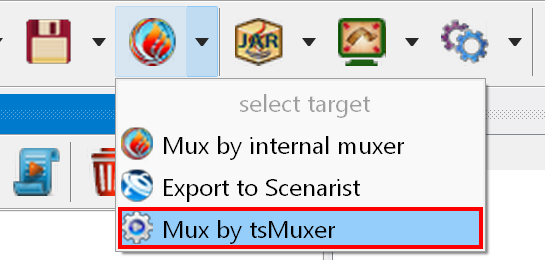
To use tsMuxeR you have to specify the path to it in the program options. tsMuxeR then becomes available in the target list:
Select it in the target list and then click the "Mux by tsMuxeR" button
 that appears on the toolbar.
The muxing process consists of:
By default the disc is saved in the Output subfolder of the project - you can change this path in the project properties.
A partial mux is available from the Project Tree context menu.
If you get an error message about an incorrect frame rate, open the corresponding INF file in Notepad (Movie.264.inf for Movie.264) and make sure that it contains the correct frame rate:

Correct it if the value is empty or missing.