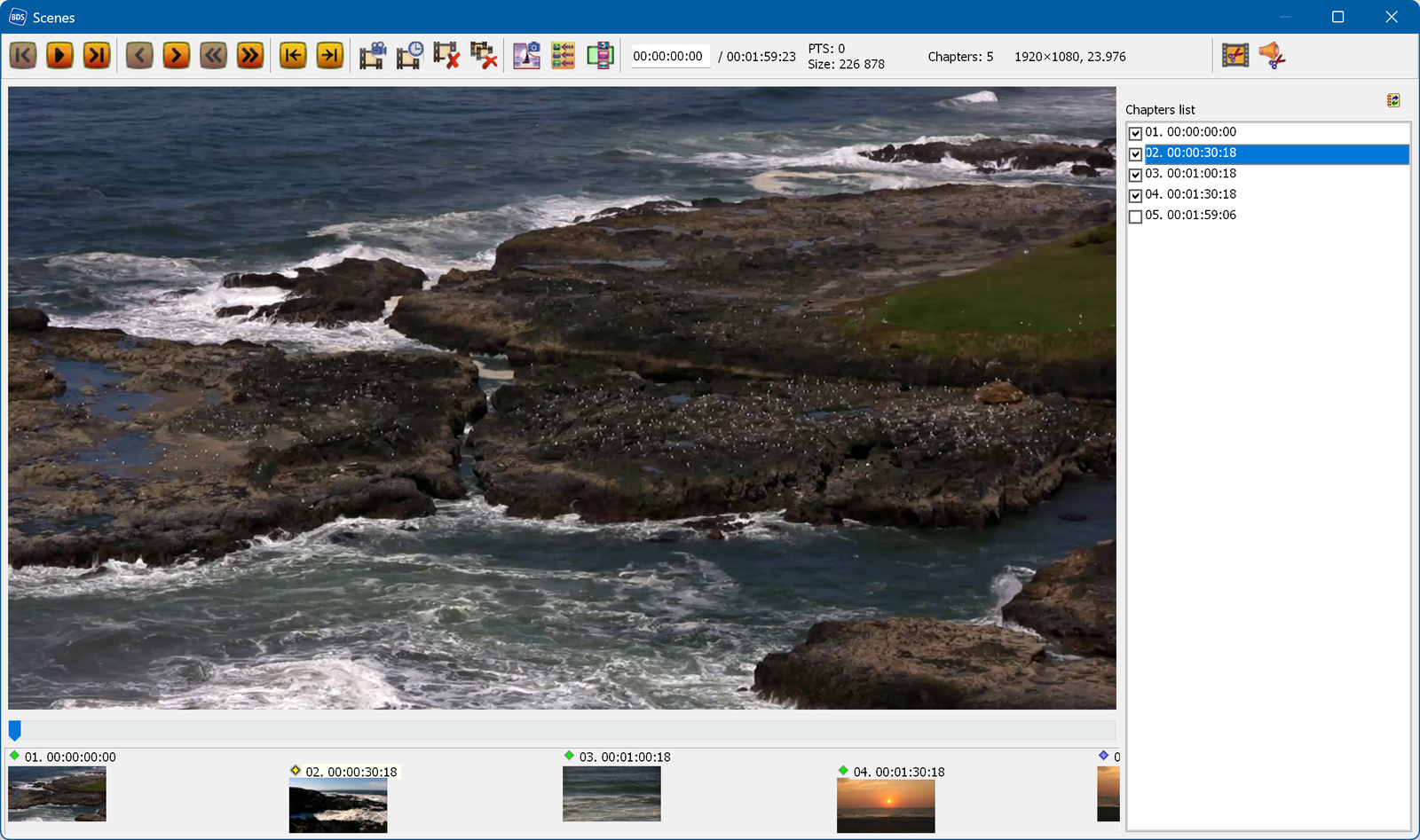
The chapter (scene/episode) creation window:
 - controls for navigating
through the video file. You can also navigate through the video using the slider located under the preview window.
The Play button simply switches the frames automatically, without time synchronization.
- controls for navigating
through the video file. You can also navigate through the video using the slider located under the preview window.
The Play button simply switches the frames automatically, without time synchronization.
 - selects the next/previous chapter.
 -
adds a chapter (scene) at the current position.
-
adds a chapter (scene) at the current position.
 -
moves the current chapter to a new position.
-
moves the current chapter to a new position.
 -
deletes the selected chapter.
-
deletes the selected chapter.
 -
deletes all chapters.
-
deletes all chapters.
 - saves the
image shown in the preview window. If you want to use the automatic chapter menu generation, save the images to the
"Scenes\Bitmaps" subfolder of the project folder.
- saves the
image shown in the preview window. If you want to use the automatic chapter menu generation, save the images to the
"Scenes\Bitmaps" subfolder of the project folder.
 - opens the
automatic chapter creation window.
- opens the
automatic chapter creation window.
 - opens a
submenu with 3 actions:
- opens a
submenu with 3 actions:
 - the info bar; it also lets
you navigate to a specific time.
- the info bar; it also lets
you navigate to a specific time.
 -
truncates the video file at the selected (!) chapter.
-
truncates the video file at the selected (!) chapter.
 -
trims the audio to the length of the movie.
-
trims the audio to the length of the movie.
 -
-