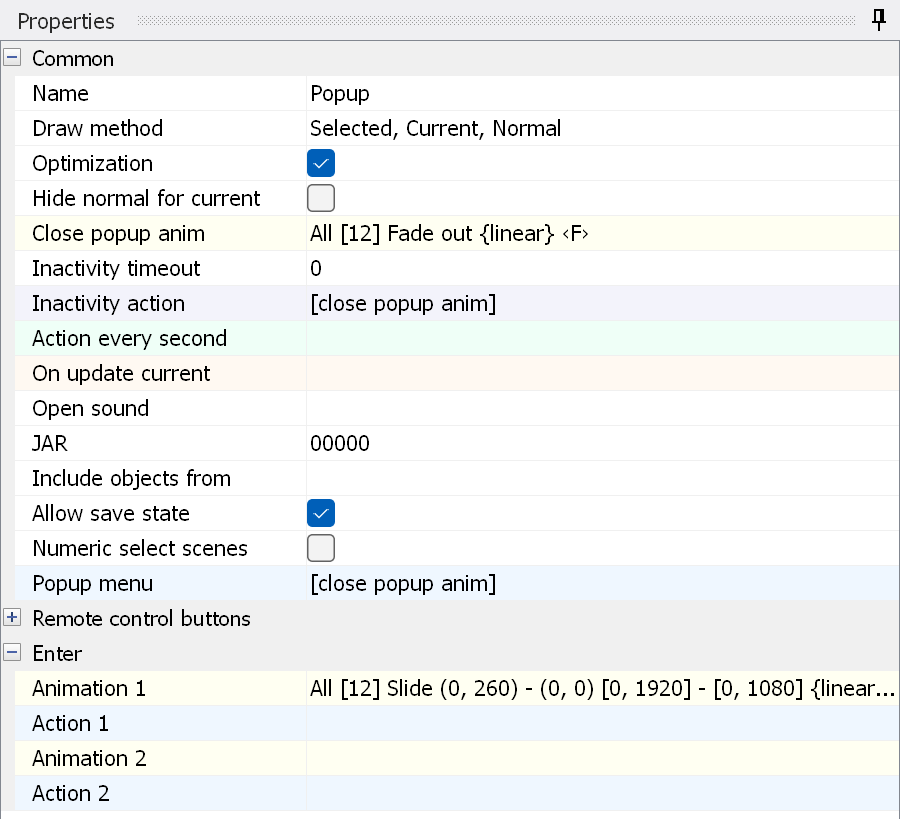
Name - the name of the menu.
Draw method - the same as for a menu.
Optimization - the same as for a menu.
Hide normal for current - the same as for a menu.
Close popup anim - the animation played before the popup is closed by the "close popup anim" action.
Inactivity time - the time in seconds after which the Inactivity action is executed if the user does not press any button. 0 means that it is never executed.
Inactivity action - the action executed when the Inactivity time has run out.
Action every second - an action executed every second. It can be used to update a timeline.
On update current - the action called when the menu updates its current states. It can be used for custom current states (showing/hiding current states).
Open sound - the sound played when the menu appears. See this page for details.
JAR - lets you specify the JAR this menu is placed in.
Include objects from - lets you add the objects of another menu during compilation (submenu). More details can be found here.
Convert for HDR (UHD version only) - converts the colors of the current menu to match the HDR color space during compilation.
Numeric select scenes - turns on a special mode for the numeric keys of the remote control. In this mode, pressing the numeric keys selects a chapter. It is used in BD-Audio. If you press "1" and "2" within 2 seconds, chapter 12 is selected.
Allow save state - the same as for a menu.
Popup menu - the action of the Popup button on the remote control.
Here you can assign actions to the various remote control buttons.
Enter Animation/Action 1..10 - the same as for a menu.