Main windows
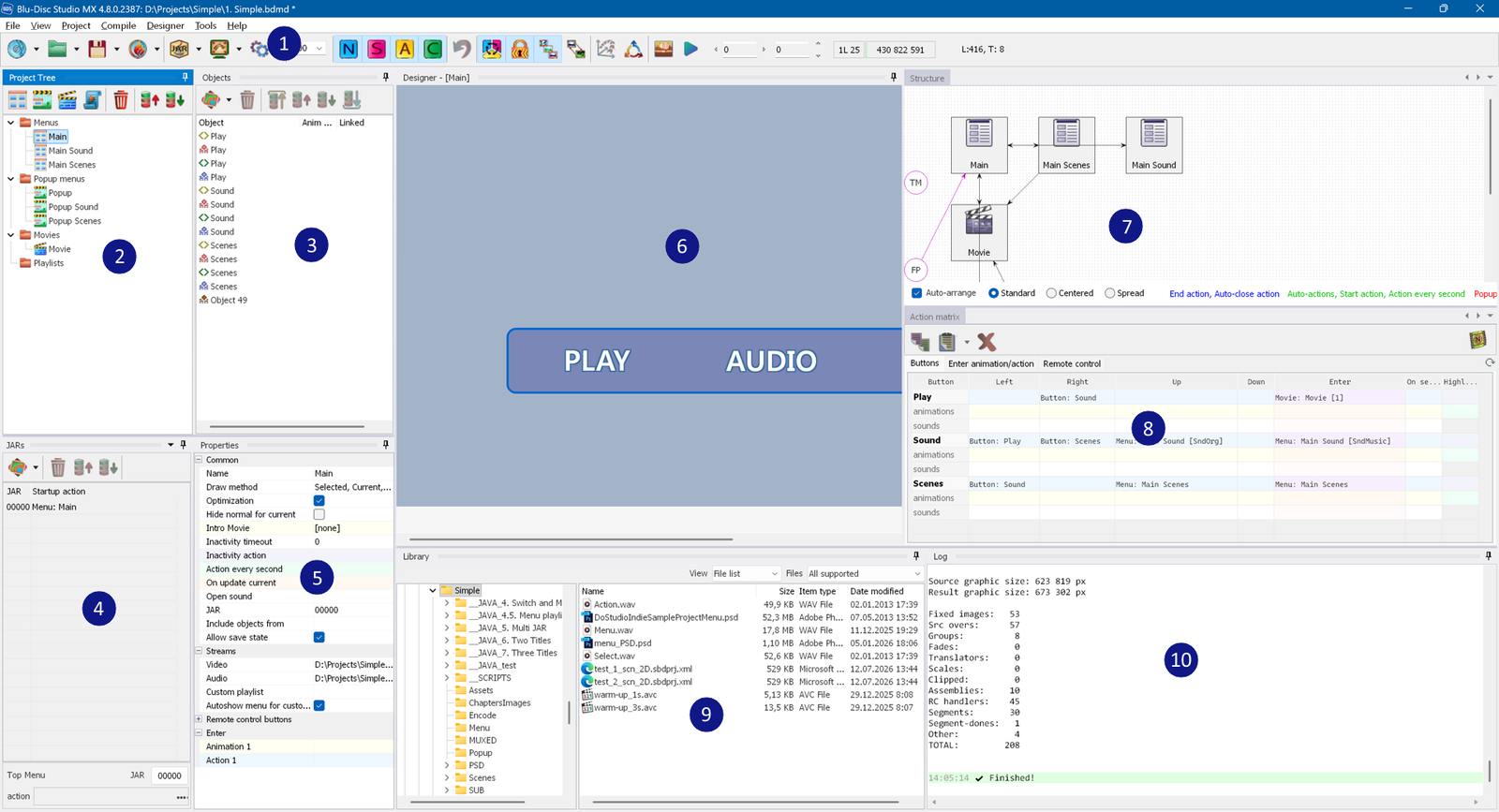
The main window of the application consists of the following sections:
- Main menu and Toolbar - the area containing the
pull-down menus and the bar with the shortcuts to menu commands and other commands.
- Project tree - shows all menus, movies and playlists.
- Objects - shows the objects of the selected menu.
- JARs - lets you change the JAR parameters, the JAR start action, the First Play and the
Top Menu.
- Properties window - shows the properties of the selected menu, movie or graphic object.
- Designer window - shows the selected menu, where you can select objects and move
them.
- Project structure window - shows an overview of the current project: the flow
of menus and movies.
- Action matrix - used to copy actions, animations and highlights between
buttons.
- Library window - shows the graphic, video and audio assets that can be imported into the project.
- Log output window (mainly used during compilation/export).